User Manual

Master your Chord.

Back to Home

The Main Metronome

ChronoChord's core engine is built for professional-grade timing. The interface is inspired by classic wooden metronomes, brought into the modern era with a translucent glass design.
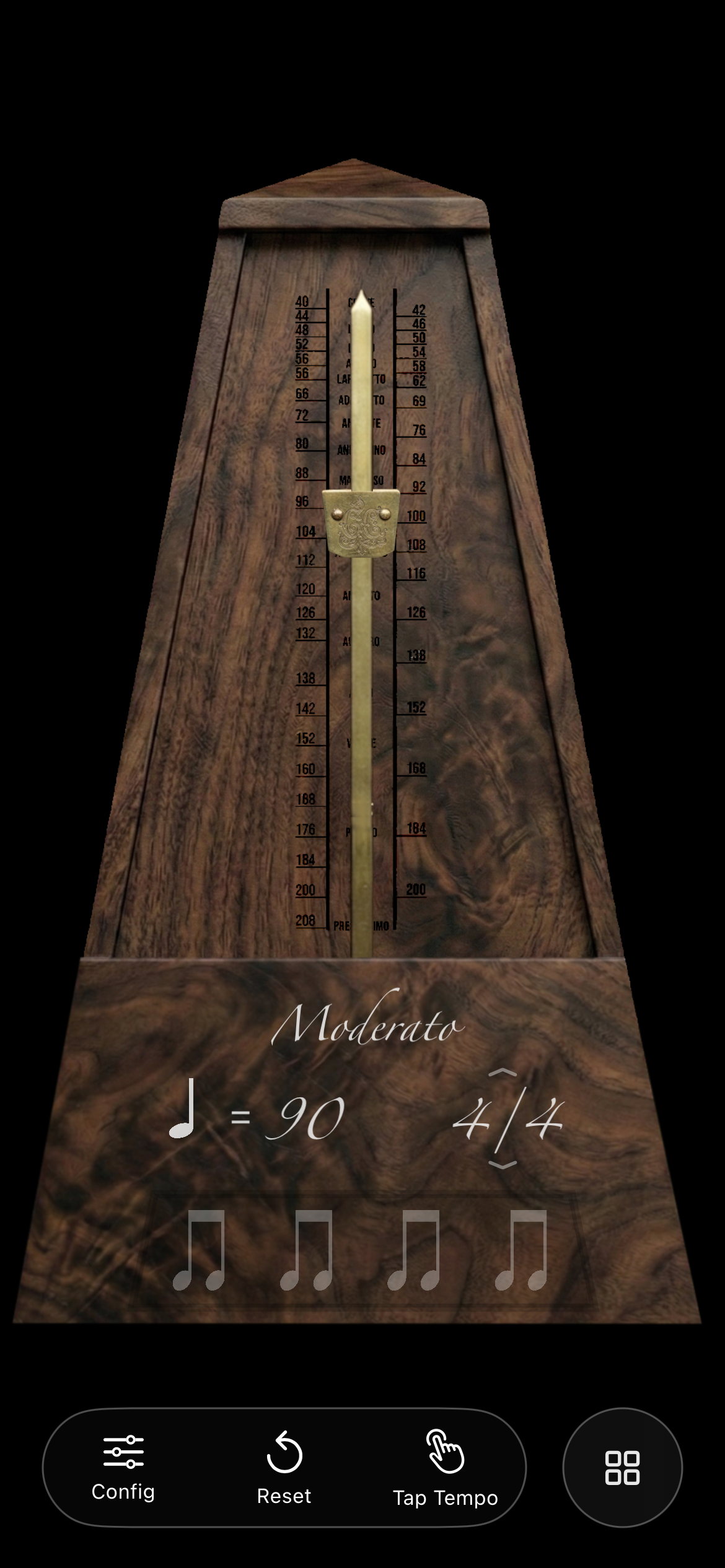
Main Metronome Interface

Interaction: Simply tap the wooden body of the metronome to toggle the beat. The pendulum swings in perfect sync with the audio, providing a clear visual reference even when the volume is low.

BPM Control: You can adjust the tempo in two ways: drag the brass weight up or down the pendulum for a tactile experience, or tap the large BPM number to enter a precise value via the keypad. The Italian tempo markings (Moderato, Allegro, etc.) update dynamically as you change speed.

Time Signatures: Tap the measure indicator (e.g., 4/4) to cycle through common time signatures or set your own custom configuration for complex Chordic patterns.
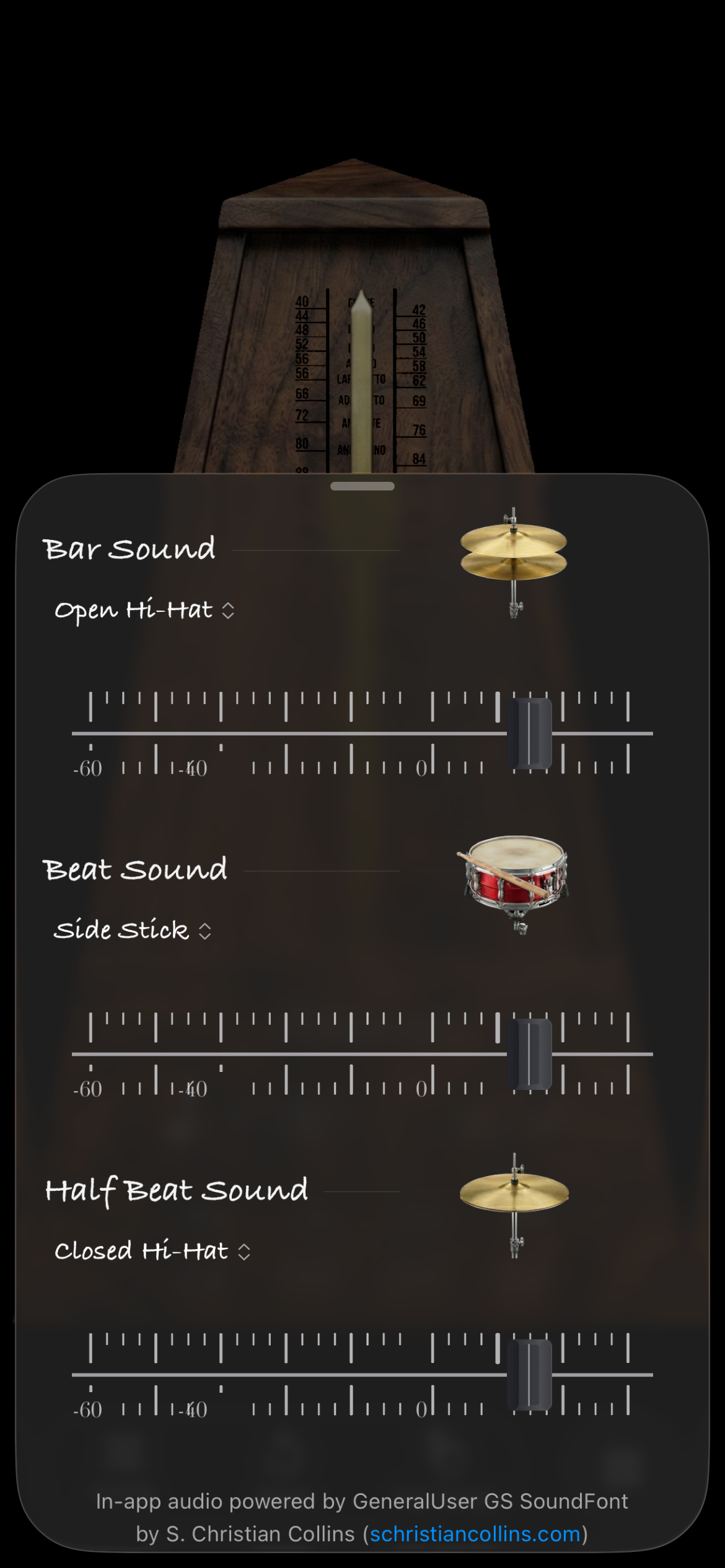
Sound Customization

A metronome is only as good as it sounds. ChronoChord features high-fidelity samples that cut through the mix without being fatiguing to the ear.

Sound Settings

Configuring the Mix: The sound panel allows you to independently set the volume and sample for three different beat types: the Bar (the first beat of a measure), the Beat (regular pulses), and the Half-Beat (subdivisions).

Professional Samples: Choose from a variety of sounds including classic woodblocks, clear digital clicks, and percussion instruments like hi-hats or side sticks. All audio is powered by high-quality SoundFonts for a natural, acoustic response.

Circle of Fifths

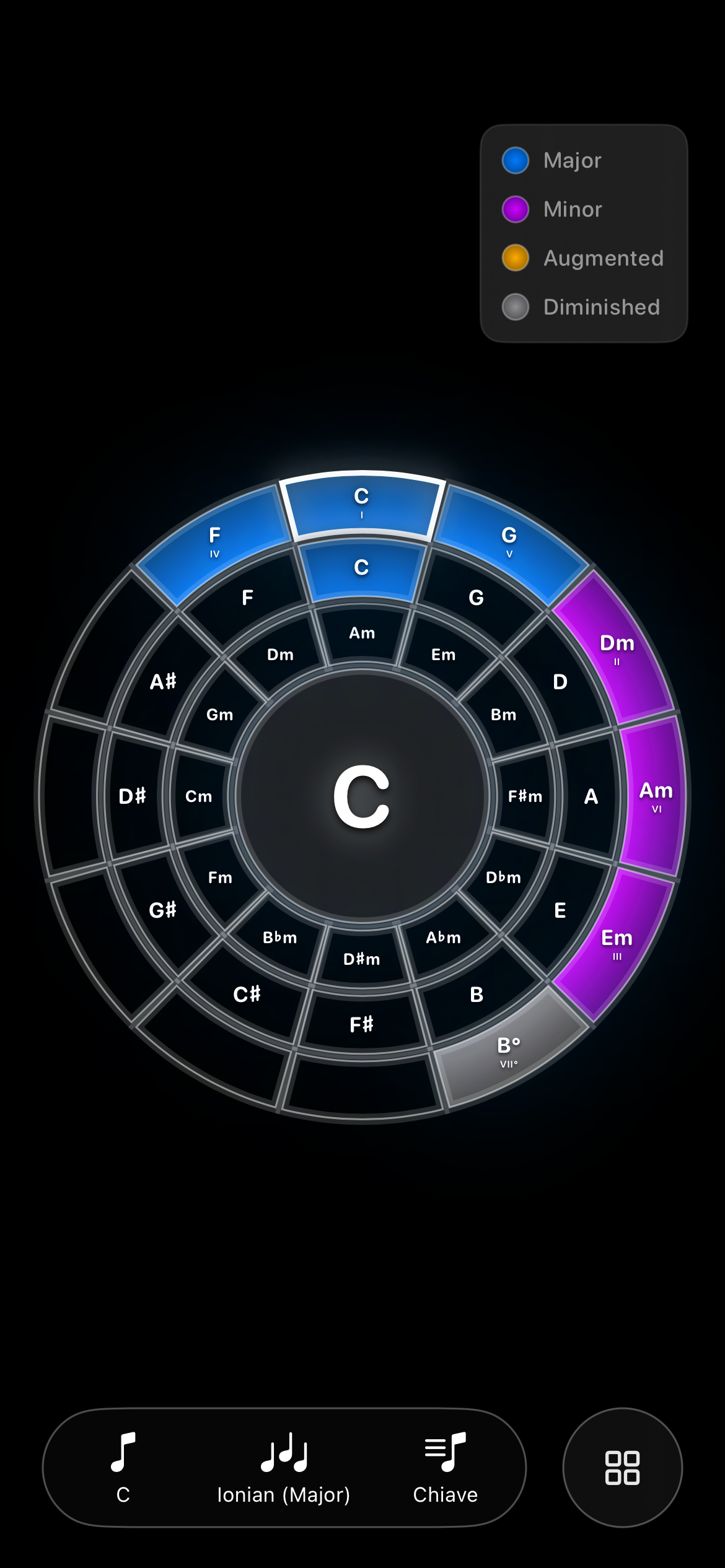
The Circle of Fifths view is a powerful harmonic calculator that helps you understand the relationship between different keys and scales instantly.

Circle of Fifths Main View

Harmonic Navigation: The circle is interactive. Tap any note to set it as the root. The interface will highlight the primary major and minor chords associated with that key. The outer ring represents the major keys, while the inner ring shows their relative minors.

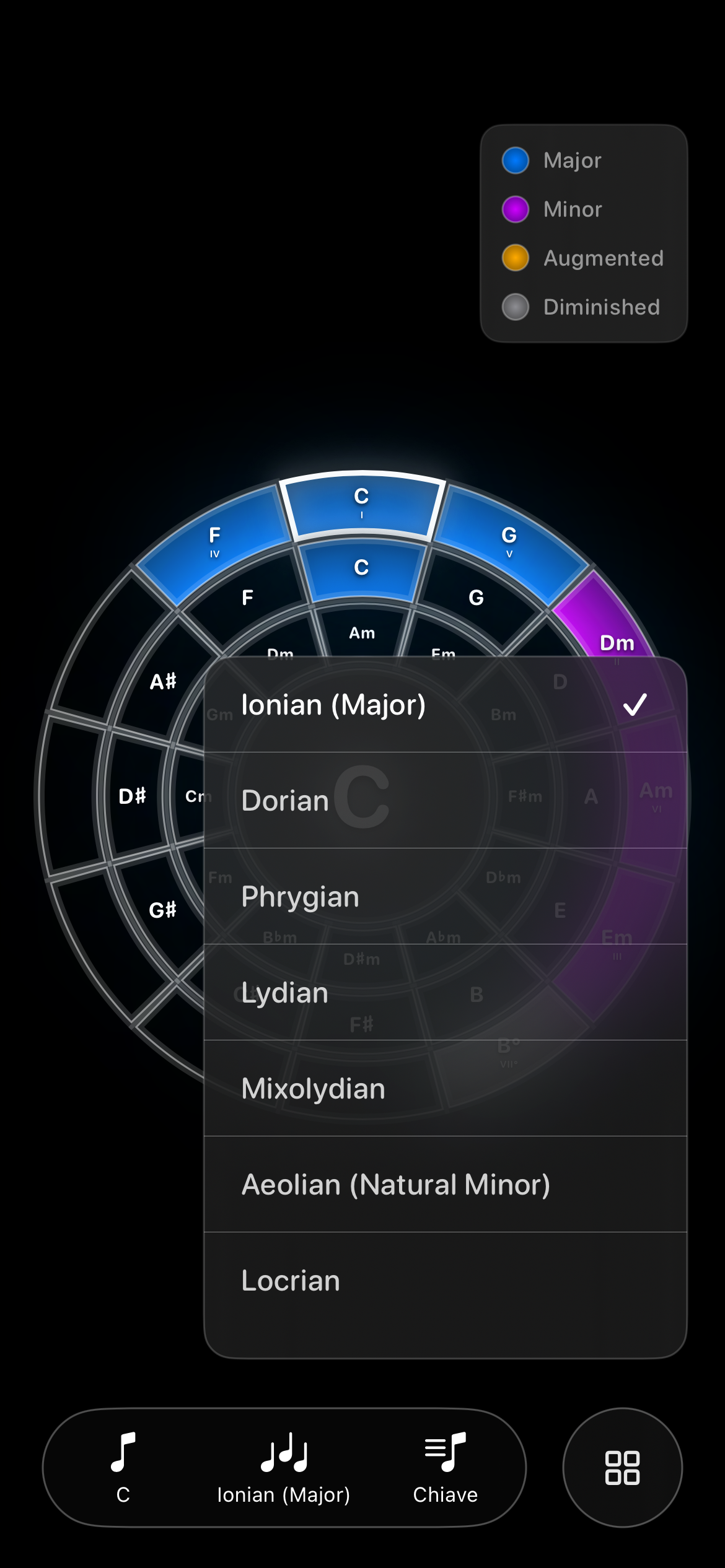
Circle of Fifths Mode Selection

Modal Exploration: Tap the "Mode" button in the bottom bar to open the scale selector. You can visualize how any of the seven major scale modes (like Dorian or Mixolydian) map onto the circle. The colors on the ring will update to show you exactly which notes are included in your selected scale.

Tonnetz Geometric Theory

The Tonnetz (tone network) is a revolutionary way to visualize musical space. It arranges notes in a triangular grid where proximity corresponds to harmonic closeness.

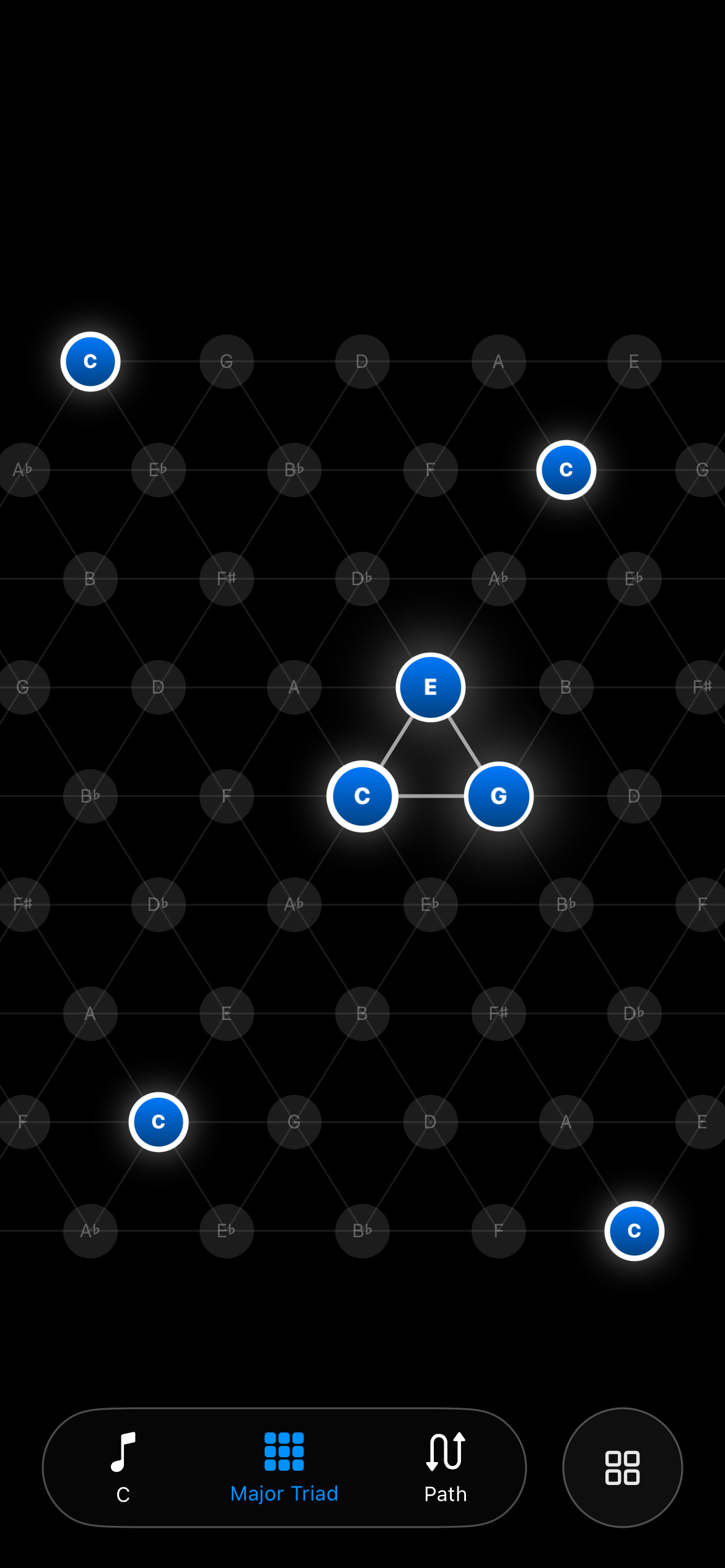
Tonnetz Main View

Reading the Grid: Horizontal lines represent major thirds, while vertical or diagonal lines represent minor thirds and perfect fifths. This geometry creates distinct shapes for every type of chord, making modulation and voice leading visually intuitive.

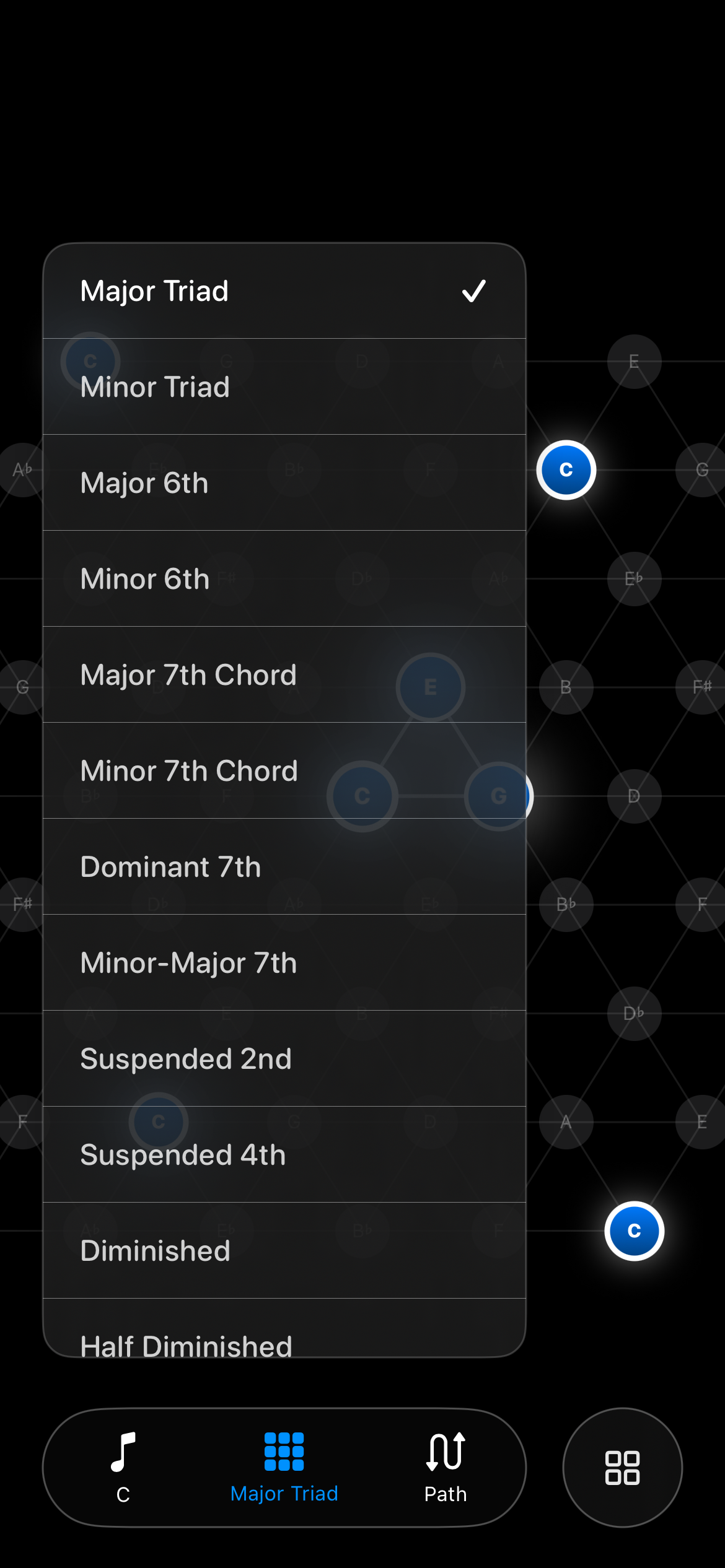
Tonnetz Chord Selection

Chord Visualization: Access the Chord menu to project various triads and seventh chords onto the grid. You'll see how a Major triad forms an upward-pointing triangle, while a Minor triad points downward. This geometric consistency is a cornerstone of advanced harmonic theory.

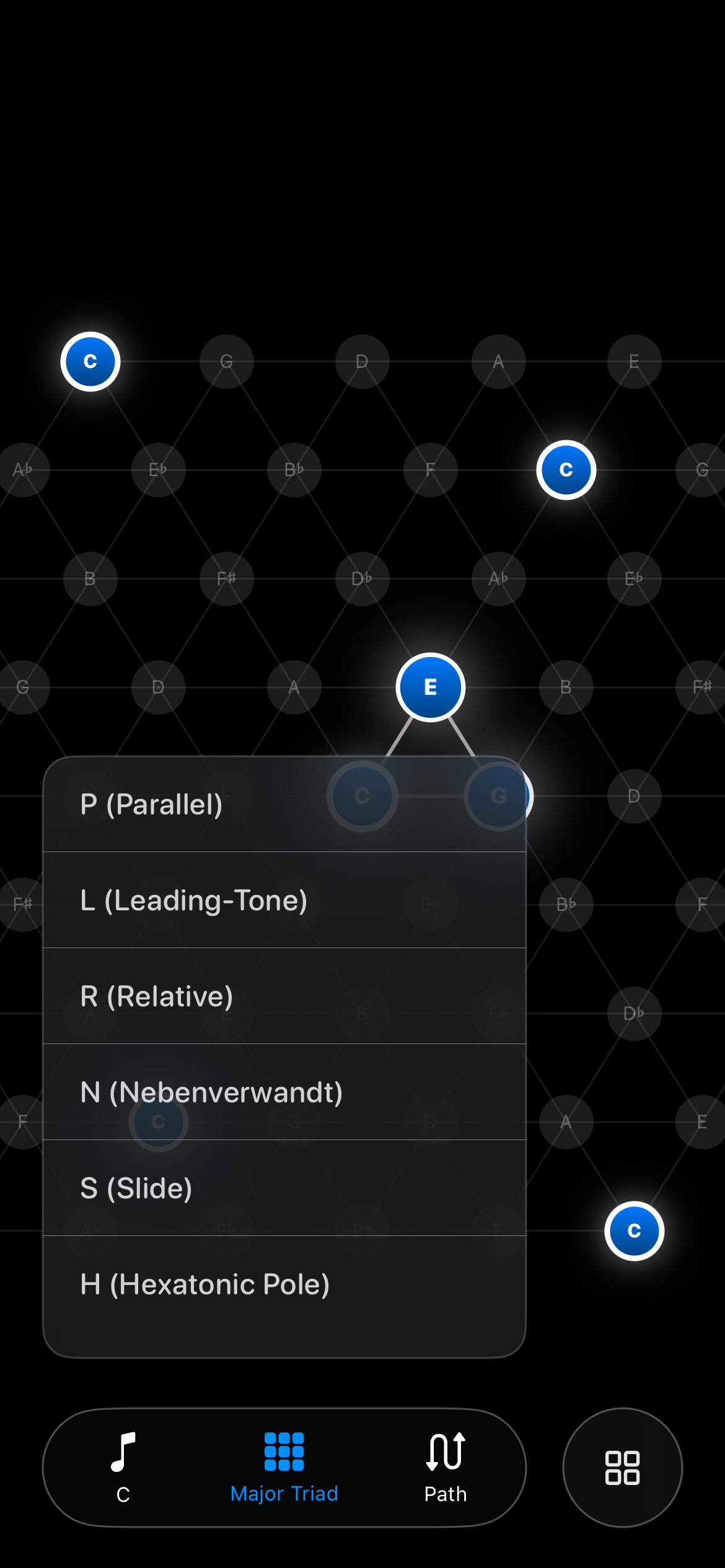
Tonnetz Transformation Paths

Neo-Riemannian Transformations: The "Path" feature lets you perform mathematical transformations on chords. Use P (Parallel) to switch between C major and C minor, L (Leading-Tone) to move from C major to E minor, or R (Relative) to find A minor. Exploring these paths reveals the fluid nature of harmonic movement.